Key takeaways
- OBS is best for live streaming and multi-source mixing, but it only records — no editing, no subtitles — and has a steep setup curve.
- The best OBS alternative for teachers records, annotates, captions and edits a lesson in one app, with no scene/plugin setup.
- Loom suits quick cloud-link clips; Camtasia/ScreenFlow suit heavily produced tutorials; Penbeam suits recording-to-finished-lesson.
- You only need an OBS-style streaming tool if you actually stream. For replay lectures, prioritize annotation, subtitles and clean-up.
- Penbeam runs on macOS 12.3+ and Windows 10+, with local offline subtitles. Free tier available; Pro from $39.99/year, education discount.
The best OBS alternative for teachers is a tool that does the whole lesson — record, annotate, caption, edit — in one app, without the scene-and-plugin setup OBS asks for. OBS is superb for streaming, but for a teacher who just wants a finished, captioned video, it’s a lot of overhead. Here’s how to choose.
Why teachers outgrow OBS
OBS is free, powerful and the gold standard for live streaming. The friction for teaching is specific:
- It only records. No built-in editing and no subtitles — you’re left with a raw file to caption and trim elsewhere.
- Setup overhead. Scenes, sources and plugins just to get a webcam overlay and annotation is a lot before you’ve taught anything.
- Teaching extras need plugins. Drawing on screen, zoom-to-focus and keystroke display aren’t first-class.
What to look for in an alternative
- Recording + editing in one app, so there’s nothing to import or stitch.
- Live annotation and zoom-to-focus — the comprehension boosters.
- A webcam overlay on the screen, not screen-or-camera.
- Automatic subtitles, ideally generated locally for privacy.
- One-click clean-up of silences and filler words.
The main alternatives
- Loom — record and instantly share a cloud link; great for async messages, but cloud-first and record-and-trim rather than real editing. (comparison)
- Camtasia / ScreenFlow — mature record-and-edit suites for polished tutorials; powerful but pricey with an editor curve (ScreenFlow is Mac-only). (Camtasia · ScreenFlow)
- Built-in tools (macOS Shift-Cmd-5, Windows Game Bar) — free, but capture-only: no overlay, annotation, subtitles or editing.
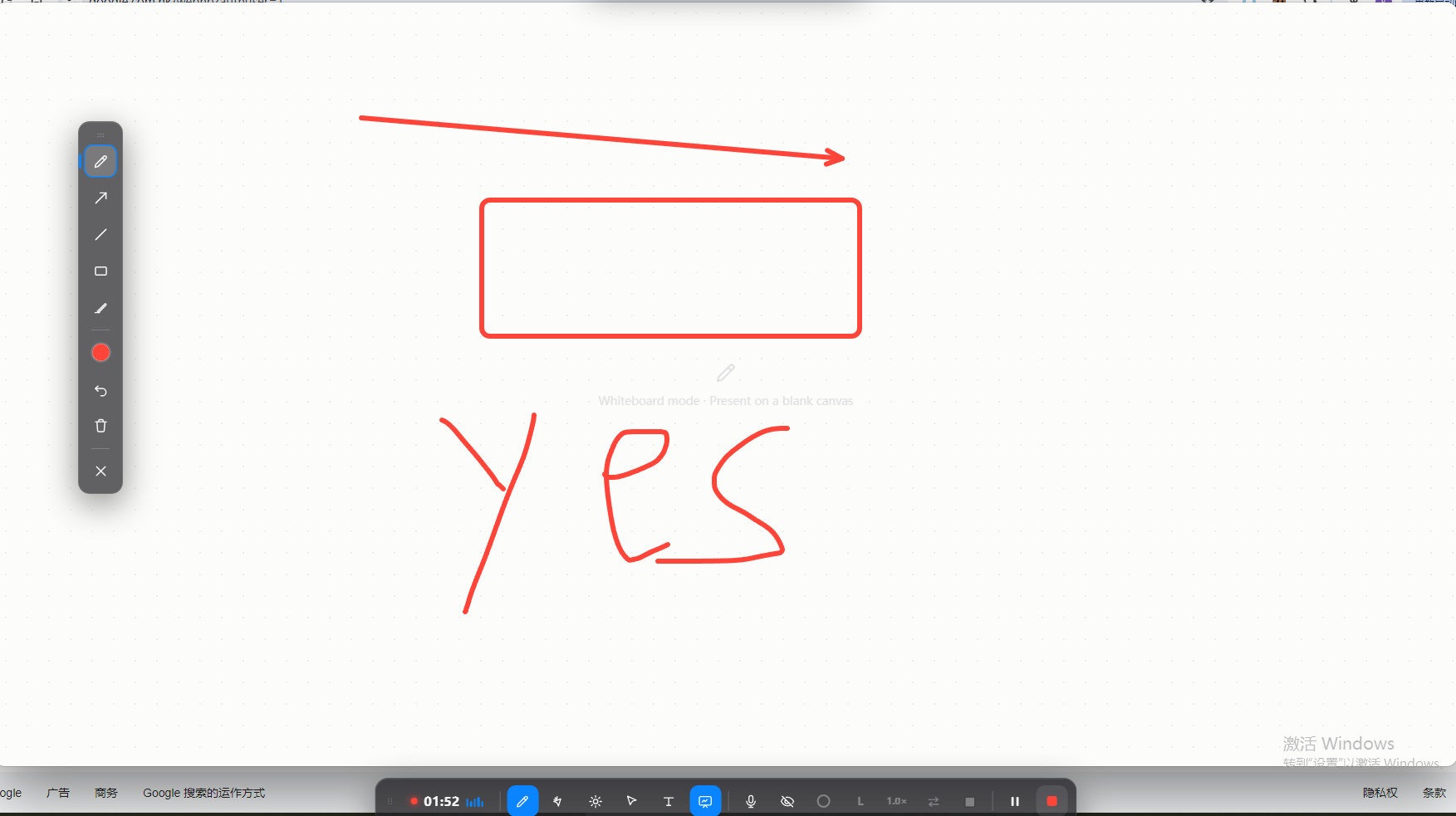
- Penbeam — recording, annotation, webcam overlay, local subtitles and clean-up in one teaching-focused app.
Where Penbeam fits
Penbeam is the OBS alternative for the teacher who just wants a finished lesson. You pick a screen and webcam, record with annotation and zoom, then auto-caption (locally, offline), trim silences and "um/uh", and export — no scenes, no plugins.
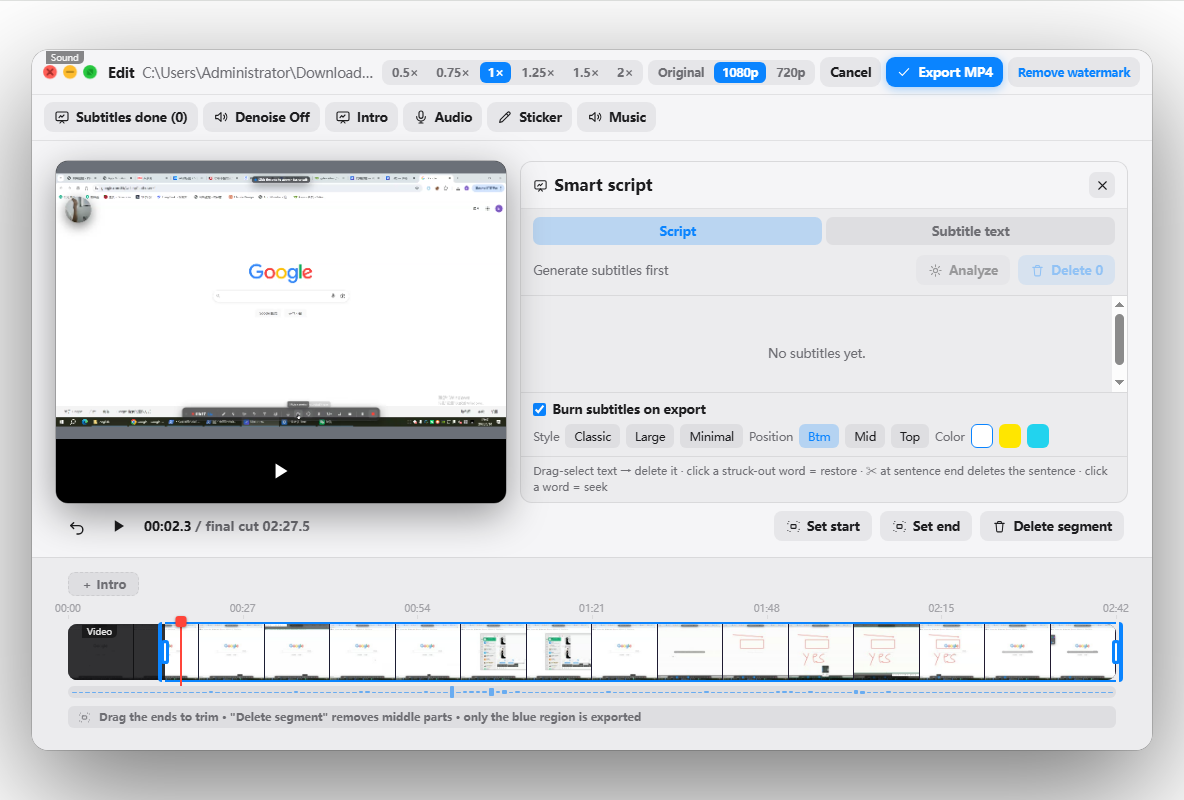
If you genuinely stream, stay on OBS — nothing beats it there. If you record lessons for replay, a teaching-focused tool saves the setup. Penbeam runs on macOS 12.3+ and Windows 10+, is free to try, and Pro is $39.99/year with an education discount. See the full Penbeam vs OBS comparison or download from lecta.cc/download.
FAQ
What is the best OBS alternative for teachers?
For teaching, the best OBS alternative is a tool that records, annotates, captions and edits a lesson in one app without scene setup. Penbeam is built for this; Loom suits quick cloud-link clips, and Camtasia suits heavily produced tutorials.
Why look for an OBS alternative?
OBS is free and excellent for live streaming, but it only records — no editing, no subtitles — and configuring scenes, sources and plugins just to annotate a lecture is a lot of overhead for a teacher who simply wants a finished video.
Is there a free OBS alternative?
Yes. The macOS/Windows built-in recorders are free but capture-only. Penbeam has a free tier that adds annotation, local subtitles and editing, with a low-cost Pro to remove the limits.
Does the OBS alternative need to support streaming?
Only if you actually stream. If you mainly record lessons for replay, you need annotation, subtitles and editing, which is where a teaching-focused tool wins.
Free download for macOS and Windows. Annotate while you talk; auto subtitles when you finish.