Key takeaways
- For teachers, the best screen recorder is the one that records, annotates, captions and lightly edits in a single app — not the most powerful streaming or film tool.
- OBS is best for live streaming; Camtasia and ScreenFlow for heavily produced tutorials; Loom for quick cloud-link sharing; Penbeam for recording-to-finished-lesson without a separate editor.
- The features that move the needle for lectures: live annotation, zoom-to-focus, webcam overlay, automatic subtitles, and one-click removal of silences and filler words.
- Penbeam is a teaching-focused desktop tool for macOS 12.3+ and Windows 10+, with local (offline) subtitles. Free tier available; Pro from $39.99/year with an education discount.
The best screen recorder for teachers isn’t the most powerful one — it’s the one that takes you from "I want to explain this" to "here’s a finished, captioned video" with the fewest detours. Streamers, YouTubers and film editors need different things than someone recording a lesson on a Tuesday night. Here’s how to choose based on what teaching actually requires.
What actually matters for teaching
Ignore feature checklists for a second. For a lecture, four things drive whether students understand and finish the video:
- Live annotation & zoom-to-focus. Pointing, circling and zooming while you talk is the digital equivalent of a whiteboard. It’s the single biggest comprehension boost.
- Webcam overlay. A small face-cam builds presence and trust, especially for async and flipped classrooms.
- Automatic subtitles. Captions help accessibility, non-native speakers, and anyone watching with the sound off — and they make the video searchable.
- Fast clean-up. One-click removal of long pauses and "um/uh", plus basic trimming, so a 40-minute take becomes a tight watch without hours in an editor.
Notice what’s not on the list: multi-scene streaming, green-screen compositing, keyframed motion graphics. Those are great for other jobs — they’re rarely what makes a lecture land.
The popular options, honestly
- OBS Studio — free, open-source, the gold standard for live streaming and multi-source mixing. But it only records: no built-in editing, no subtitles, and a real setup curve. Great for streamers; heavy for a quick lesson. (full comparison)
- Loom — superb for recording a quick clip and getting an instant shareable link with viewer analytics. Cloud-first (your videos upload), free plan caps clips, and it’s record-and-trim rather than real editing. (full comparison)
- Camtasia / ScreenFlow — mature record-and-edit suites for polished tutorials with effects and animation. Powerful, but pricey one-time purchases with an editor learning curve; ScreenFlow is Mac-only. (Camtasia · ScreenFlow)
- Descript — excellent text-based editing and AI voice, ideal for podcasts and talking-head videos. Subscription and cloud-first, and it’s post-production rather than teaching-first. (full comparison)
- Built-in tools (macOS Shift-Cmd-5, Windows Game Bar) — fine for capturing the screen, but no annotation, webcam overlay, subtitles or editing.
How to pick in 30 seconds
- Mainly live streaming to Twitch/YouTube? → OBS.
- Want to record and instantly share a link for async messages? → Loom.
- Making highly produced tutorials with motion graphics, and comfortable editing? → Camtasia or ScreenFlow.
- Editing podcasts / voice-heavy content by transcript? → Descript.
- You’re a teacher who wants to record a lesson, annotate, caption it and ship it without learning an editor? → a teaching-focused tool like Penbeam.
Where Penbeam fits
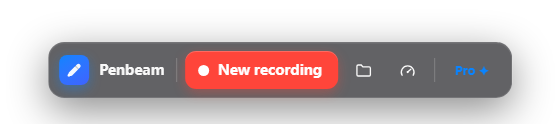
Penbeam is built around that last case. Recording, live annotation, zoom-to-focus, webcam overlay, automatic subtitles and one-click clean-up live in one app, so there’s nothing to import or stitch together.
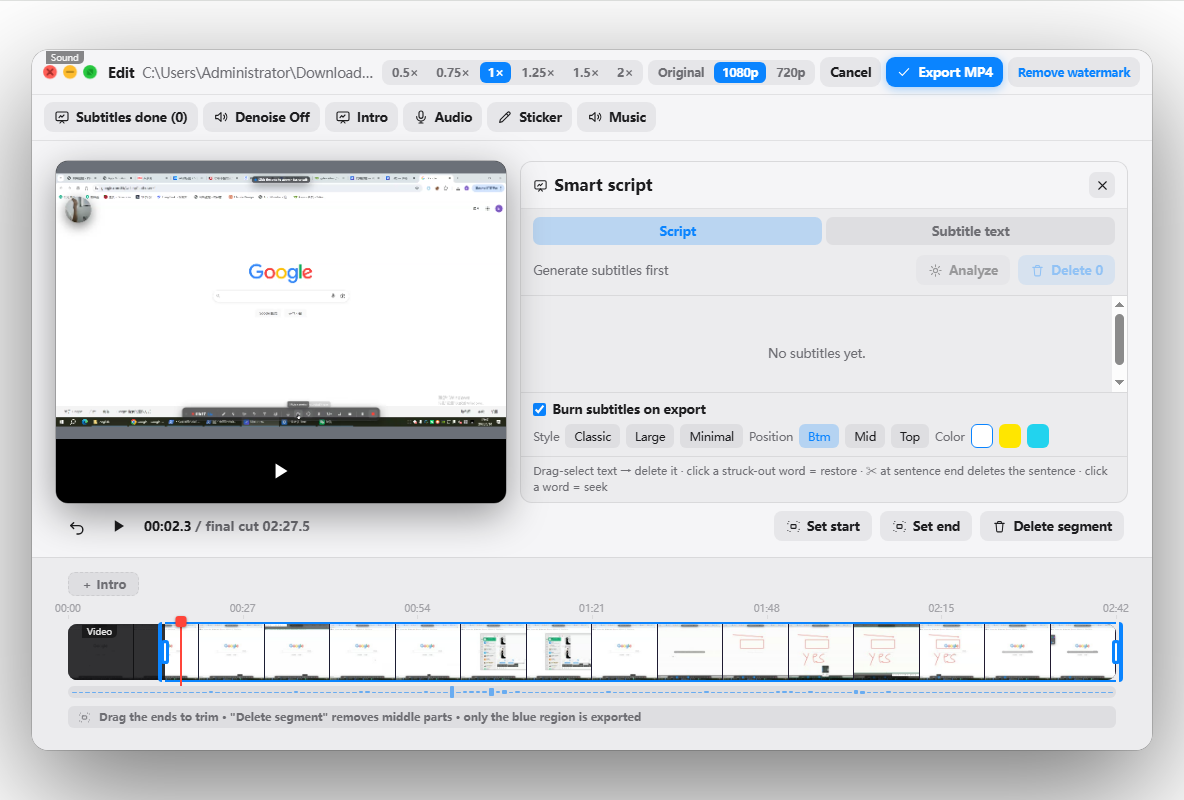
Subtitles are generated locally and offline, so student content never leaves your machine. It runs on macOS 12.3+ and Windows 10+, is free to try (10 min/session), and Pro removes the limits from $39.99/year with an education discount. See the features or download from lecta.cc/download.
FAQ
What is the best screen recorder for teachers?
The best one for teaching combines recording, live annotation, automatic subtitles and light editing in a single app, so you go from lesson to finished video without juggling tools. Penbeam is built for this; OBS is best if you mainly stream, and Camtasia if you want a heavy effects-based editor.
Is OBS good for recording lectures?
OBS is powerful and free, and unbeatable for live streaming, but it only records — no editing, no subtitles — and it has a steep setup curve. For a teacher who just wants to record, annotate and caption a lesson, a teaching-focused tool is simpler.
Do I need a paid screen recorder as a teacher?
Not necessarily. Free tiers and free tools can record lessons, but they often add time limits or watermarks, or lack subtitles and editing. A low-cost paid tier (around $40/year, often with an education discount) usually unlocks unlimited recording, captions and one-click clean-up.
What features matter most for teaching videos?
Live annotation and zoom-to-focus, a webcam overlay, automatic subtitles, and one-click removal of silences and filler words. These map directly to clarity and watch-through; streaming and heavy motion graphics usually don’t matter for lectures.
Free download for macOS and Windows. Annotate while you talk; auto subtitles when you finish.