Key takeaways
- "Free" hides three catches: time limits, watermarks, and cloud lock-in (your videos must upload). Check all three before committing.
- OBS and the built-in macOS/Windows recorders are truly free with no watermark or time limit — but capture only, no subtitles or editing.
- All-in-one tools that add annotation, captions and editing usually watermark the free tier and remove it on a paid plan.
- Penbeam’s free tier records 1080p with a watermark and a 10-minute-per-session cap; Pro removes both from $39.99/year (education discount).
- For student content, prefer local tools that don’t require uploading — Penbeam processes recording and subtitles on your machine.
A truly free screen recorder for teaching exists — but "free" comes in different flavors, and the catch is usually a time limit, a watermark stamped across your video, or a requirement to upload everything to a cloud. Here’s how the options really compare and how to record full lessons without a watermark.
What "free" actually means
Before you pick, check for these three strings attached:
- Time limits. Some free tiers cap each recording (a few minutes per clip or session). Fine for short clips, frustrating for a full class.
- Watermarks. Many all-in-one tools stamp a logo across free exports. It looks unprofessional in front of students and is the most common reason people upgrade.
- Cloud lock-in. "Free" cloud tools require uploading your video to their servers, which raises privacy questions for student data and depends on your upload speed.
Free options compared
- OBS Studio — genuinely free, open-source, no watermark, no time limit. The catch is that it only records (no subtitles, no editing) and has a real setup curve. Best if you also stream. (comparison)
- Built-in recorders — macOS Shift-Cmd-5 and Windows Game Bar are free with no watermark or limit, but capture only: no annotation, webcam overlay, captions or editing.
- Cloud tools (e.g. Loom free) — quick and shareable, but clips are capped on free plans and videos live in the cloud. (comparison)
- All-in-one editors’ free tiers — add annotation, subtitles and editing, but typically watermark free exports and may cap recording length; you pay to remove the watermark.
Recording without a watermark
If a no-watermark export is your only requirement and you don’t need captions or editing, OBS or the OS built-in recorder is the straightforward free answer. If you also want annotation, automatic subtitles and one-click clean-up, those features almost always sit on a paid tier — the practical question is how cheap that tier is and whether there’s an education discount.
Penbeam’s free tier
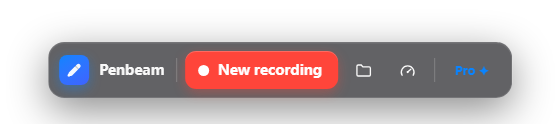
Penbeam is a teaching-focused record + edit + subtitle app. The free tier lets you record at 1080p and try annotation, local subtitles and smart editing, with a watermark and a 10-minute-per-session cap. Pro removes the watermark and the limit from $39.99/year — with an education discount — and recording and subtitles run on your own machine, so nothing is uploaded.
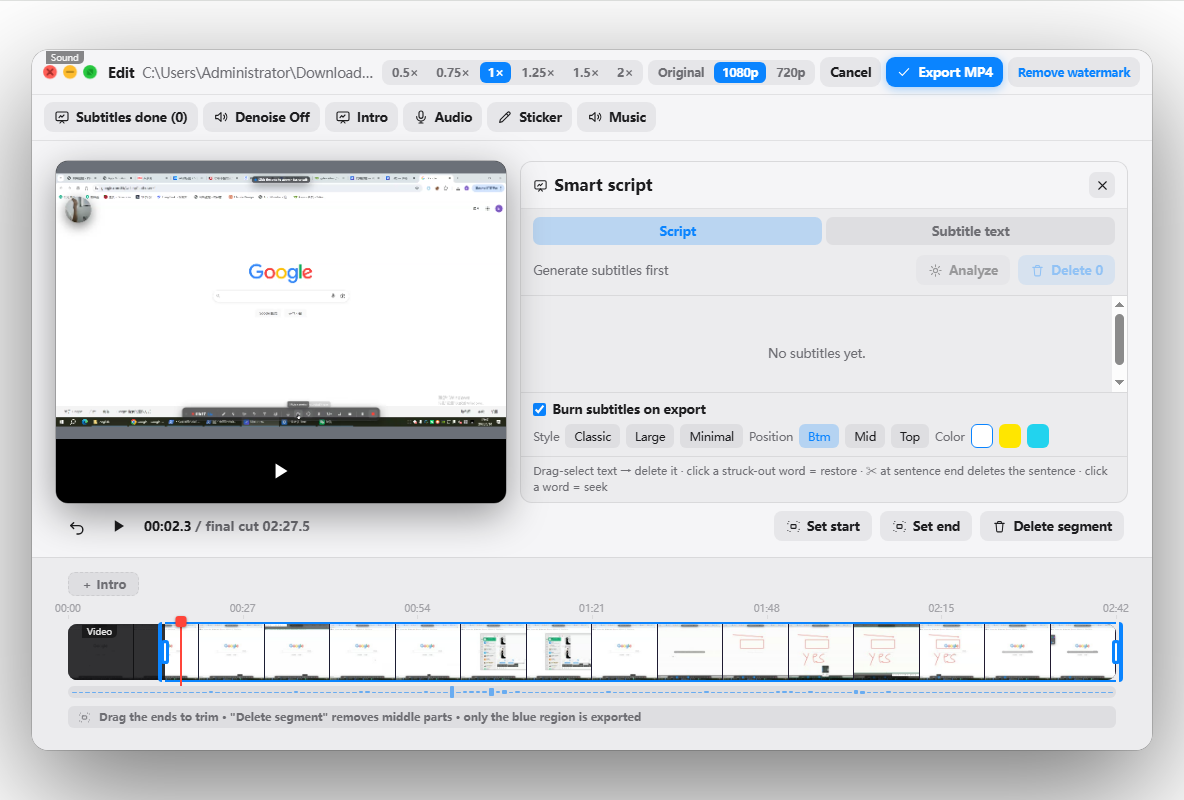
So the honest summary: for a bare no-watermark screen capture, OBS or the built-in recorder is free and enough. For a free way to also annotate, caption and edit a lesson — with a cheap path to remove the watermark — try Penbeam from lecta.cc/download (macOS 12.3+ and Windows 10+).
FAQ
What is the best free screen recorder for teaching?
If you want full control and live streaming, OBS is free with no watermark or time limit, but it only records and has a setup curve. If you want a free tool that also annotates, captions and edits, a teaching-focused app like Penbeam has a free tier (with a watermark and a per-session limit) and a low-cost Pro to remove them.
How can I record my screen for free without a watermark?
OBS Studio and the built-in macOS (Shift-Cmd-5) and Windows (Game Bar) recorders capture the screen with no watermark, but offer no subtitles or editing. Many all-in-one tools add a watermark on their free tier and remove it on a paid plan.
Is there a free screen recorder with no time limit?
Yes — OBS and the OS built-in recorders have no time limit. Some all-in-one editors cap free recordings per session (Penbeam’s free tier is 10 minutes per session); upgrading removes the cap.
Do free screen recorders include subtitles and editing?
Most free recorders only capture video. Tools that add automatic subtitles and editing usually put those behind a paid tier. Penbeam lets you try them on the free tier and unlocks unlimited use on Pro from $39.99/year.
Free download for macOS and Windows. Annotate while you talk; auto subtitles when you finish.